
Y888 Deposit Process – Complete Guide to Adding Funds
The Y888 deposit process allows registered users to add funds to their account and access the games and services available on the platform. The exact payment methods, minimum deposit, maximum limits, and processing requirements can vary, so users should always check the current Y888 Wallet or Deposit page before making a transaction.
For a smooth transaction, verify the payment details carefully and keep your receipt or transaction reference after completing the payment. Never rely on old payment numbers or instructions shared through unofficial channels.
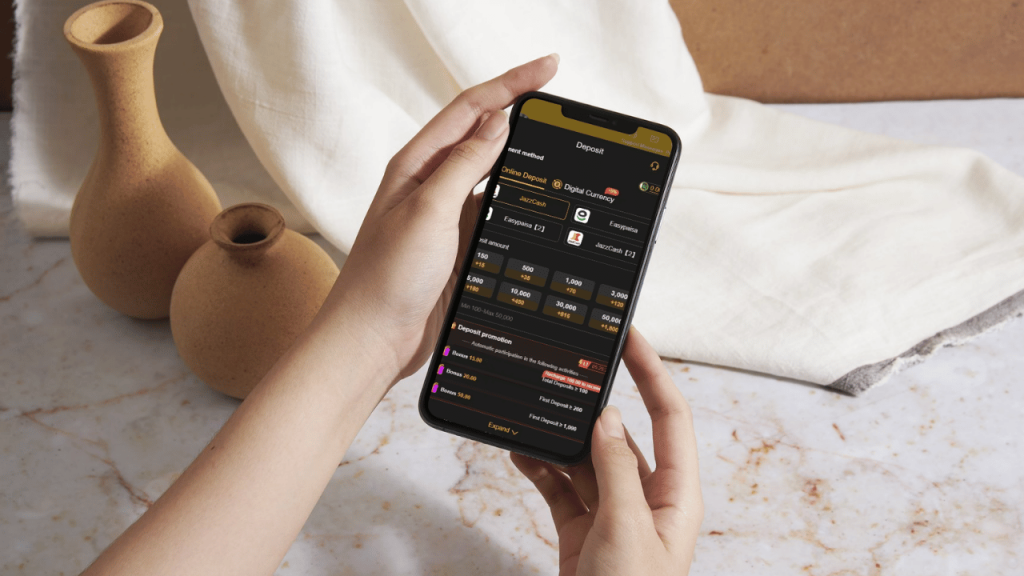
How to Deposit on Y888
The general Y888 deposit process follows these steps:
Login → Open Wallet → Select Deposit → Choose Payment Method → Enter Amount → Verify Details → Complete Payment → Check Balance
The interface may use slightly different names depending on the current Y888 version, but the basic process remains similar.
Step 1: Login to Your Y888 Account
Open the official Y888 platform and sign in using your registered account details. Make sure you are logged into the correct account before opening the wallet.
Check your username and existing balance before starting the transaction. This can help prevent mistakes when managing your funds.
Step 2: Open the Y888 Wallet
After logging in, find the Wallet, Deposit, Recharge, or similarly named section. This area should display the payment methods currently available for your account.
Do not assume that a payment method available to another user is automatically available to you. Always follow the options shown in your current account.
Step 3: Select a Payment Method
Choose one of the payment methods displayed on the live deposit page. Depending on the current Y888 service, different local or online payment options may be available.
Before proceeding, check the recipient information, payment instructions, transaction limits, and any applicable fees.
Step 4: Enter the Deposit Amount
Enter the amount you want to deposit according to the limits shown on the payment page. Check the minimum and maximum amount before confirming the transaction.
Avoid depositing more than your planned entertainment budget, particularly when using real-money gaming services.
Step 5: Verify Payment Details
Carefully review all information before sending money. Confirm:
- Deposit amount
- Payment method
- Recipient details
- Transaction instructions
- Applicable fees
- Account information
- Deposit limits
A few seconds of verification can help prevent an incorrect transfer.
Step 6: Complete the Payment
Complete the transaction through your selected payment provider. Follow only the instructions displayed through the legitimate Y888 deposit process.
Do not share your OTP, PIN, password, or banking credentials with another person during the transaction.
Step 7: Save Your Transaction Receipt
After completing the payment, save the transaction receipt, reference number, or transaction ID. This information can be useful if your account balance does not update correctly.
Keep the payment evidence until the transaction has been successfully reflected in your Y888 account.
Step 8: Check Your Y888 Balance
Return to the Y888 Wallet and check your account balance and transaction history. If the deposit has been successfully processed, the balance should update according to the platform’s current payment system.
If the balance does not change immediately, check the transaction status before attempting another deposit.
Y888 Deposit Limits
Y888 deposit limits can depend on the selected payment method and the current account or platform configuration. Instead of relying on a fixed amount published on an old page, check the live deposit screen for the current:
- Minimum deposit
- Maximum deposit
- Daily transaction limit
- Payment fee
- Verification requirements
This provides more accurate information for the transaction you are actually making.
Y888 Deposit Pending
A pending deposit does not necessarily mean that the money has been lost. First check whether the payment was successfully deducted from your payment account and then review the Y888 transaction history.
Keep the transaction reference and payment receipt. Do not immediately make another deposit for the same amount, as a duplicate payment can create additional complications.
Money Deducted but Y888 Balance Not Updated
If your payment account shows a completed transaction but the Y888 balance has not changed, first confirm the amount, date, payment method, and recipient information.
Save the transaction ID and contact the legitimate Y888 support channel if the issue remains unresolved. Never provide your password, OTP, PIN, or other authentication credentials to someone claiming they can manually update your balance.
Why Can a Y888 Deposit Fail?
A deposit can fail for several reasons, including:
- Incorrect payment information
- Insufficient account balance
- Amount outside the permitted limit
- Payment-provider problems
- Temporary technical issues
- Account verification requirements
- Internet or connection problems
Read the displayed error message before trying again. If money has already been deducted, verify the transaction status rather than immediately sending another payment.
Y888 Deposit and Bonuses
Y888 may offer promotional campaigns that require a qualifying deposit. If you are depositing specifically to receive a bonus, read the complete promotion terms first.
Check the minimum qualifying deposit, wagering requirements, eligible games, expiry period, maximum reward, and withdrawal conditions. Promotional funds may not be immediately available for withdrawal.
Y888 Deposit Safety Tips
A secure deposit routine starts with using the correct platform and verifying every transaction before payment. Avoid payment details obtained from random social media accounts, messaging groups, or outdated screenshots.
Use a personal payment account where possible and keep transaction records. If someone asks for an additional payment to activate a deposit or unlock your balance, verify the request through the legitimate support system before sending anything.
Frequently Asked Questions
How do I deposit money on Y888?
Log in to your Y888 account, open the Wallet or Deposit section, select a currently available payment method, enter an accepted amount, verify the payment details, complete the transaction, and check your balance.
What is the minimum Y888 deposit?
The minimum deposit can vary according to the payment method and current Y888 configuration. Check the live Deposit page for the amount currently displayed for your account.
Which payment methods does Y888 support?
Available payment methods can change. Use only the options currently displayed inside your Y888 Wallet and verify the recipient details before completing a payment.
Why is my Y888 deposit pending?
A deposit can remain pending while the payment or account system completes its confirmation process. Check your transaction history, save the reference number, and avoid making a duplicate deposit.
What should I do if my money was deducted but my Y888 balance is missing?
Keep your payment receipt and transaction ID, confirm the transaction status, and contact legitimate Y888 support if the balance remains unchanged. Do not share your password, OTP, or PIN.
Can I deposit to claim a Y888 bonus?
A promotional offer may require a qualifying deposit. Read all bonus conditions before depositing specifically for a promotion.
Final Thoughts
The Y888 Deposit Process is straightforward when users follow the current wallet instructions carefully. The most important steps are selecting an available payment method, checking the deposit limits, verifying the recipient information, completing the payment, and saving the transaction reference.
Because payment options and conditions can change, always use the current Y888 Wallet as your primary reference. If a transaction becomes pending or fails after money has been deducted, keep the payment evidence and resolve the original transaction before attempting another payment.